
Download Hamster Free ZIP Archiver – Free, Secure ZIP & 7Z Compression Tool for Windows & Mac
Looking for a sleek, user-friendly file compression tool? Hamster Free ZIP Archiver is a modern, lightweight software designed to simplify your daily file management tasks. With its visually appealing interface featuring transparency and blur effects, this tool stands out from traditional archivers like WinZip and WinRAR.
Whether you're a student, professional, or casual user, Hamster Free ZIP Archiver offers an intuitive experience for creating, managing, and securing ZIP and 7Z archives. The app supports drag-and-drop functionality, password protection, archive splitting, and customizable compression levels—all wrapped in a clean, responsive design. While it may not match the speed of high-end compressors, its ease of use and secure handling of files make it a solid choice for everyday compression needs.
Download Hamster Free ZIP Archiver today and enjoy a fast, free, and secure way to manage your digital files across Windows and Mac platforms.
Modern Design Meets Functional Simplicity
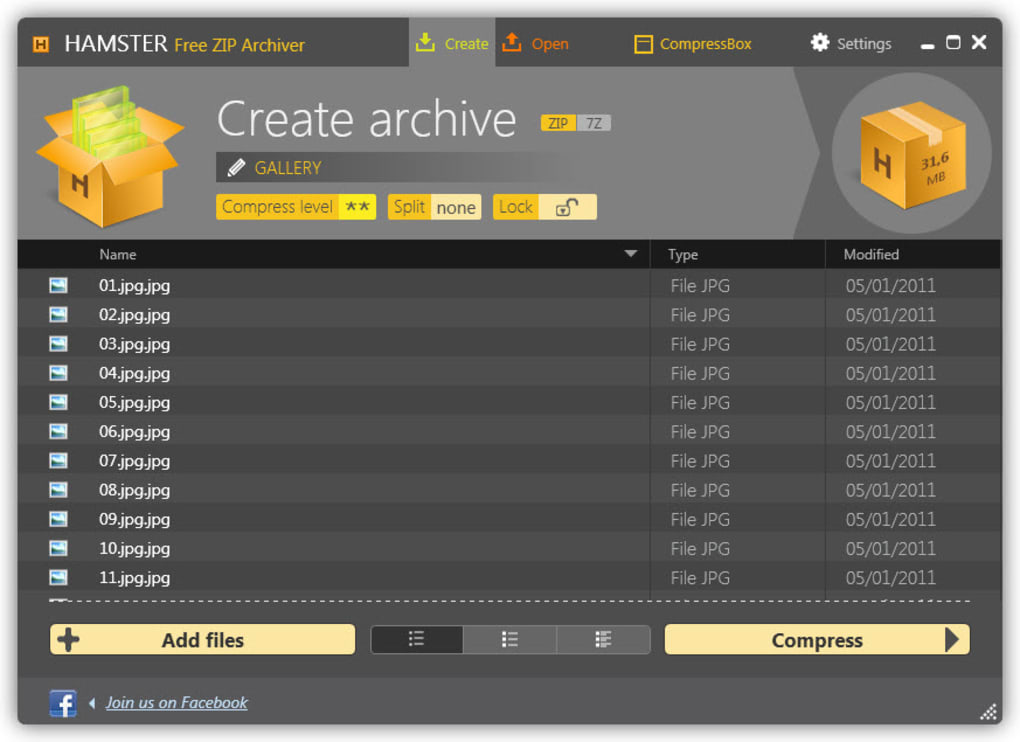
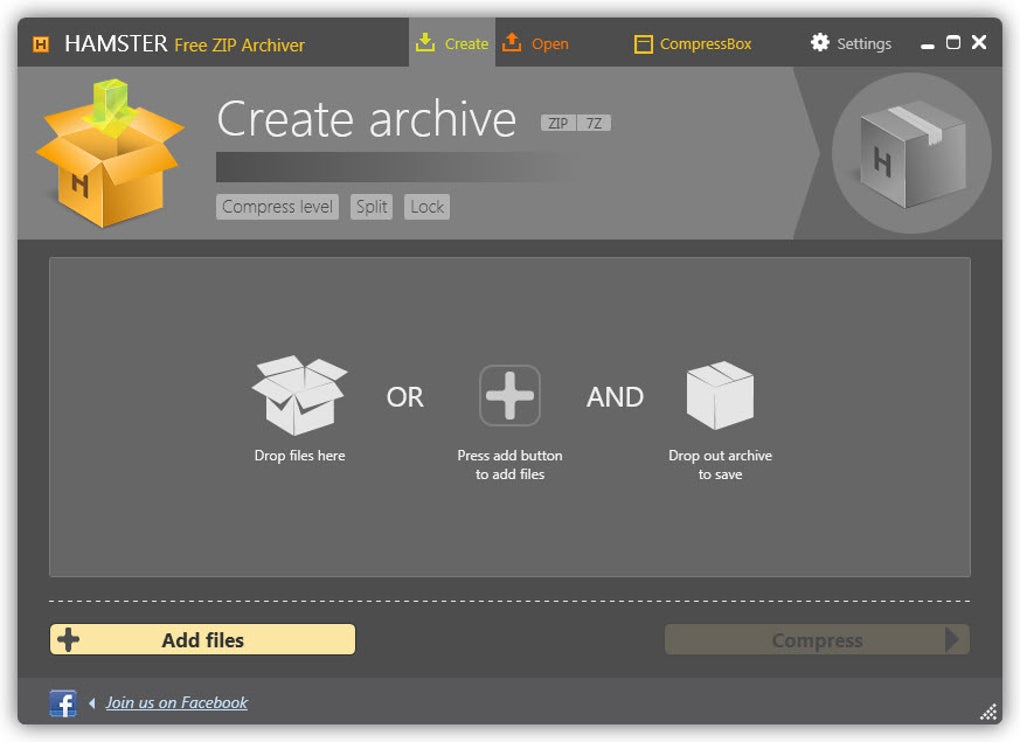
Hamster Free ZIP Archiver isn’t just another file archiver—it’s a visual experience. Unlike bulky, outdated compression tools, this software embraces modern UI principles with a stylish interface that features glass-like transparency and subtle blur effects. These design choices aren’t just aesthetic; they help guide your focus to active tasks, reducing visual clutter and improving usability. The main window is clean, with clearly labeled, colorful buttons that make it easy to initiate compression, extract files, or adjust settings. Whether you're compressing a folder of documents or sending a large media file, the intuitive layout ensures you’re never lost in menus. One of the standout features is the drag-and-drop support. Simply drag your files or folders directly into the application window, and the archiving process begins instantly. This eliminates the need to navigate through file browsers or memorize complex commands—perfect for users who aren’t tech-savvy. The compression level slider allows you to balance file size and speed, offering options from fast (minimal compression) to maximum (larger compression ratio). For users who need to send files via email or upload them to cloud services with size limits, archive splitting is a lifesaver, allowing you to divide large archives into smaller, manageable parts. Despite its modern look, Hamster Free ZIP Archiver remains lightweight and fast to launch. It doesn’t hog system resources, making it ideal for older machines or laptops running on limited RAM. The tool also integrates smoothly with Windows Explorer and Mac’s Finder, enabling right-click context menu access for quick archiving. Overall, the balance between visual appeal and practical functionality sets this app apart in a crowded market of file compression tools.Core Features and Ease of Use
Hamster Free ZIP Archiver delivers a powerful set of features tailored for everyday users. At its core, the software supports two primary formats: ZIP and 7Z, both widely used and compatible across platforms. While this may seem limiting compared to tools that support RAR, TAR, or GZIP, the focus on these two formats ensures stability, security, and broad compatibility. The app allows you to create new archives with just a few clicks, extract files with ease, and even update existing archives without re-creating them from scratch. Security is a major highlight. With built-in password protection, you can encrypt your archives using strong encryption standards. This is particularly useful when sharing sensitive documents, financial records, or personal photos. The password prompt appears during both creation and extraction, ensuring only authorized users can access the contents. Additionally, the software supports archive splitting, enabling you to divide large archives into smaller chunks—ideal for email attachments or uploading to services with file size restrictions. The user experience is further enhanced by customizable settings. You can set default compression levels, choose output directories, and enable auto-backup of archive history. The interface is fully localized in multiple languages, making it accessible to non-English speakers. For advanced users, the tool offers a command-line interface (CLI) version, though it’s not prominently featured in the GUI. Installation is straightforward: download the installer from the official site, run it, and follow the on-screen prompts. The setup process takes under a minute and doesn’t require administrator rights on most systems. Once installed, the app integrates seamlessly into your system, allowing quick access via desktop shortcuts or system tray icons. Updates are delivered automatically through the built-in updater, ensuring you always have the latest security patches and feature improvements.Compatibility and System Requirements
Hamster Free ZIP Archiver is designed with cross-platform compatibility in mind, supporting both Windows 7 and later (including Windows 10 and 11) and macOS 10.12 and above. This ensures that users on a wide range of devices can take advantage of its features. Whether you're using a modern laptop, an older desktop, or a MacBook Air, the software runs smoothly without performance degradation. It’s lightweight, requiring only 50 MB of disk space and minimal RAM—making it suitable for low-end machines or virtual environments. For Android and iOS users, while there is no native mobile app, the software supports cloud integration with services like Google Drive, Dropbox, and OneDrive. This allows you to compress files on your desktop and access them from your mobile device. The web-based file manager in these services can also extract ZIP and 7Z files directly, ensuring seamless workflow across devices. The app supports all major file types, including documents (PDF, DOCX), images (JPG, PNG), videos (MP4, AVI), and audio files (MP3, WAV). It handles large archives efficiently, with support for files up to 4 GB in size. For users working with massive datasets or backups, the archive splitting feature ensures no file exceeds your upload or transfer limits. Security is maintained through AES-256 encryption for password-protected archives, a standard trusted by businesses and individuals alike. The software also includes a built-in virus scanner integration that checks archives during extraction—adding an extra layer of protection against malware.Pros and Cons at a Glance
- Pros:
- Beautiful, modern interface with transparency and blur effects
- Simple drag-and-drop functionality for quick archiving
- Supports secure password protection with AES-256 encryption
- Archive splitting for large files and email sharing
- Lightweight and fast to launch, low system resource usage
- Free to download and use with no hidden costs
- Automatic updates and cloud integration for seamless workflow
- Cons:
- Limited to ZIP and 7Z formats—no support for RAR, TAR, or GZIP
- Slower compression speed compared to WinRAR or 7-Zip
- No built-in cloud storage or backup feature
- Mobile version not available for Android or iOS
- Advanced users may find the feature set too basic
Frequently Asked Questions (FAQ)
What is Hamster Free ZIP Archiver?
Is Hamster Free ZIP Archiver safe to download?
Can I use Hamster Free ZIP Archiver on my iPhone or Android device?
Does it support password protection?
Why is Hamster Free ZIP Archiver slower than other tools?







